

How to Get Dash Cam Footage to the Police

October 24, 2026 · 9 min read

Someone clipped your bumper or ran a red light, and your dash cam caught it. The next hour decides whether that clip helps you or vanishes under new recordings. This guide shows you how to get the footage to police intact, and how to get dash cam footage from police records later.
Updated — first published
Quick answer
To get dash cam footage to police without weakening it, save the clip within minutes so loop recording cannot erase it, copy the original file unedited, and submit that copy with your report number. Getting dash cam footage from police later takes a public records request under your state’s law.
Who this guide is for
This guide is for US drivers who recorded a crash, hit-and-run or road-rage incident and need to hand the clip to police or an insurer. You need only the camera, its memory card and a computer.
This is for you if
- An officer asked for your footage
- You are filing an insurance claim
- You recorded someone else’s crash
Look elsewhere if
- You have been charged with a crime: call a defense attorney first
- You live outside the US
The short answer: a six-step checklist
Lock the clip, pull the card, copy the original, fingerprint it, log it, then submit a copy and keep the original. The table shows what each step protects.
| Step | What to do | What to preserve | What ruins it |
|---|---|---|---|
| 1. Lock | Press the save or event button, or confirm the G-sensor saved it | The clip before, during and after the incident | Driving for hours while loop recording overwrites it |
| 2. Pull | Switch the camera off, then remove the microSD card | The card exactly as the camera left it | Formatting the card or letting the camera keep writing |
| 3. Copy | Copy the whole event folder to a computer with a card reader | Original file names, format and every camera channel | Trimming, re-exporting or downloading a compressed app copy |
| 4. Fingerprint | Run a SHA-256 hash on the original and the copy | Proof the copy matches the original bit for bit | Editing the file after you hash it |
| 5. Log | Write down date, time, place, camera model and clock accuracy | Your account of who handled the file and when | Relying on memory weeks later |
| 6. Submit | Send a copy with your police report or claim number | The original card or file, kept by you | Handing over your only copy with no receipt |
Lock the file before you do anything else
Save the clip the moment you are safe, because most dash cams record in a loop and delete the oldest unsaved files first. A locked clip sits in a protected folder that loop recording skips.
Many cameras do this automatically. Garmin’s manual says its dash cams use a sensor to save footage before, during and after a detected collision, and you can also save manually. A gentle scrape may not trip that G-sensor (a motion detector that reacts to jolts), so press save yourself.
Save the rear channel too: a rear-end hit often appears only on the rear view, which is why our best backup and rear cameras (2026) guide matters here. Then switch the camera off and remove the card.
Copying footage without altering it
Copy the original file straight off the card with a card reader, and never trim, convert or re-save it. The video forensics group SWGDE says the camera’s own native file format usually gives the best evidence and should be the first export choice.
Put the microSD card in its full-size SD adapter and slide the lock tab down. The tab asks your computer not to write to the card, which prevents accidents. Copy the whole event folder, not only one clip.
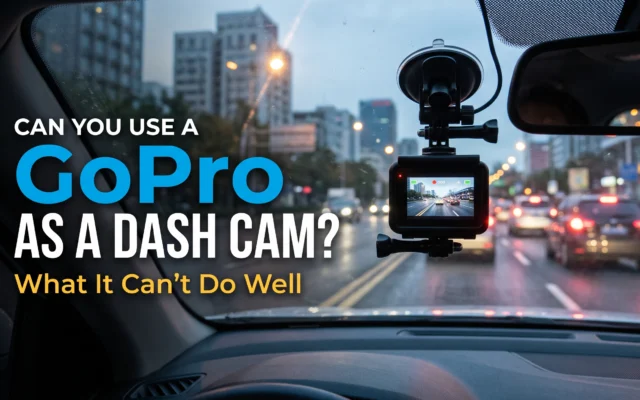
Skip the phone app for evidence copies, since apps can download a shortened or compressed version. Action camera footage follows the same rules; see can you use a GoPro as a dash cam?
Next, take a digital fingerprint. On Windows, open Command Prompt and run certutil -hashfile yourclip.mp4 SHA256. On a Mac, open Terminal and run shasum -a 256 yourclip.mp4. Matching values prove nothing changed.

What metadata matters
The timestamp matters most, then GPS data and the original file name. Metadata (information stored with the video) is how police tie a clip to a real time and place.
Date and time, and whether the clock is right
Compare the overlay with your phone’s clock and note any gap, such as “runs 3 minutes fast.” A wrong clock you disclose is fine; a hidden one is not.
GPS position and speed
GPS cameras store location and speed with the video, viewable in the maker’s desktop app. A re-exported copy can drop this data.
Original file name and folder
Many cameras name files by date and time. Leave names alone and put notes in a separate text file.
The “date created” on your computer
Ignore it. Windows often resets it to when you copied the file; the hash proves the copy is unchanged.
Submitting to police vs insurance
Police use footage to decide fault or find a driver; your insurer uses it to settle a claim. Send each a copy, keep the original, and quote your reference number.
Police. Call the non-emergency line and ask how the department accepts video; many send an upload link tied to your report number. If an officer takes the card, get a property receipt.
Insurance. Upload through the claims portal with the police report number. The other driver’s insurer may see it, so watch the whole clip, sound included, first.
Getting footage back from police. To get dash cam footage from police, whether your submitted copy or a cruiser camera’s video, file a public records request with the department. The federal Freedom of Information Act covers only federal agencies, not state or local police, so your state’s records law applies. Video from an open investigation is often withheld until it closes.
What to keep and for how long
Keep the original card, your hash values, notes and receipts until the claim is paid and any case is closed. Ask your insurer or attorney before deleting anything.
Store two copies in two places, such as an external drive and a cloud folder. Retire the original card and put a new one in the camera. The deadline to sue (the statute of limitations) varies by state and typically runs years, not months.
When footage works against you
Footage works against you when it shows your own mistakes: the clip proving the other driver ran the light can also show you speeding. Watch it end to end first.
- It shows your own speed or phone useA speed overlay or a glance at your phone can shift fault to you. If it looks bad, talk to an attorney before submitting.
- The audio catches you“Sorry, my fault” said in shock gets heard. Cabin cameras also record passengers, and some states require everyone’s consent for audio; the best interior car cameras for rideshare (2026) guide covers that.
- You delete it after the crashOnce a claim is likely, destroying footage can count as spoliation (destroying evidence), which courts can penalize.
- You hand over an edited cutA trimmed clip invites questions. Send the full file and note when the incident starts.
Key terms, explained
These terms come up when officers and adjusters ask about your file.
Plain-language definitions
- Loop recording
- A dash cam mode that records continuously and deletes the oldest unsaved files when the card fills. On a typical card that cycle lasts hours, not days.
- Hash value (SHA-256)
- A 64-character fingerprint calculated from a file’s contents. Change one pixel and the hash changes completely, so matching hashes prove two files are identical.
- Chain of custody
- A record of who held the evidence, when, and what they did with it. For you, it is your written log.
- Authentication
- Showing a court that evidence is what you say it is. Under Federal Rule of Evidence 901, that can include testimony about how the recording system works.
How this guide was researched
Cedar Buy built this guide from a manufacturer manual, forensic best practices and US legal sources.
How this guide was researched
- Read Garmin’s dash cam manual on saved and incident recordings, checked October 2026.
- Read SWGDE’s video acquisition best practices, Federal Rule of Evidence 901, and federal FOIA guidance.
- This is general information, not legal advice. Cedar Buy does not physically test products — see our editorial policy.
Frequently asked questions
Do I have to give my dash cam footage to the police?
In most cases, no. Sharing footage with police is usually your choice, but prosecutors can compel it with a subpoena or warrant, and deleting it once a case is likely can be treated as destroying evidence. If the footage could implicate you, speak with an attorney before you hand it over or decline.
Can I email dash cam footage to the police?
Sometimes, but most dash cam files are too large for email attachments. Call the non-emergency line and ask how the department accepts video; many issue an upload link tied to your report number. Never send a phone-app export as the only copy. Send the original file format, and keep the card yourself.
Will police give me my SD card back?
Yes, eventually, but it can take months if the card becomes evidence in a case. Ask for a property receipt that lists the card and a contact for its return. Copy and hash the footage before the hand-over, so you keep a matching copy for your insurance claim while the original is held.
How do I get a copy of police dash cam video of my accident?
File a public records request with the department that responded, quoting the report number, date and location. State records laws govern local police, not the federal Freedom of Information Act. Video from an open investigation is often withheld until it closes, and an attorney can request it through the court instead.
What to do in the next 24 hours
Lock the clip now, pull the card tonight, and make a hashed copy before talking to anyone. Then get your report number and send police and your insurer a copy, never the original.



Article engagement
Comments (0)
No comments yet. Be the first to share what you think.
Sign in to join the conversation.