

How to Use an OBD2 Scanner: Step by Step

October 25, 2026 · 12 min read

The check engine light came on, you bought a scanner, and now you have a plug in your hand and no idea where it goes. This guide covers how to use OBD2 scanner tools from there: finding the port, reading codes, saving the data that explains them, and clearing them only when it is safe. The steps are the same for a corded handheld and a Bluetooth dongle.
Updated — first published
Quick answer
To use an OBD2 scanner, plug it into the 16-pin port under the driver’s side of the dashboard, turn the ignition on with the engine off, and choose Read Codes. Record every code and its freeze frame data before clearing anything, because clearing erases both and resets the car’s emissions readiness monitors.
Who this guide is for
This guide is for an owner of a 1996-or-newer car who has a scanner and has never used one. You need no tools or mechanical knowledge, just 15 minutes.
This is for you if
- Your check engine light is on and you want the code before paying for a diagnosis
- Your Bluetooth dongle is plugged in but your phone cannot find it
- An inspection is due and you are unsure whether clearing codes is safe
Look elsewhere if
- Your check engine light is flashing. Get the car repaired before you drive it further
- You need to program keys or code a module. That takes a bidirectional scan tool and the maker’s procedure
How this guide was researched
Cedar Buy built this guide from federal and state emissions documents and from scan tool manuals, not from hands-on testing.
Sources Cedar Buy used
- The EPA’s on-board diagnostics guidance and its Diagnostic Link Connector charts for 1996–2000 vehicles, the source of the nine port zones below.
- New York DMV guidance on readiness monitors and what clearing codes does before an inspection.
- SAE J1962 (the connector) and SAE J1979 (the diagnostic modes), as summarized in regulator documents and scan tool manuals, not the paid standards themselves.
- Specifications come from manufacturer documentation. Cedar Buy does not physically test products — see our editorial policy.
Before you plug anything in
Check three things first: that your car has OBD2, that you can switch the ignition on without starting the engine, and that you can record what the scanner shows. Skip the third and you risk erasing the one clue you came for.
Confirm your car has OBD2
OBD2 (also written OBD-II) is built into every 1996-and-newer car and light truck sold in the US, according to the EPA. If your car is older, or you are not sure, read OBD1 vs OBD2: does your car have it? before you go further.
Know your ignition positions
Most scanners want “key on, engine off”: dash lights on, engine silent. With a key, turn to the second click (ON) without cranking. On most push-button cars, press Start twice without touching the brake; your owner’s manual confirms the method.
Get ready to record
Have your phone camera ready. You will photograph the code list and the freeze frame screen before anything is cleared, even if your app saves a report.
Finding the port in your car
The port is almost always under the dashboard on the driver’s side, near your knees. It is a 16-pin socket shaped like a rounded trapezoid, with two rows of eight pins, and its shape is set by the SAE J1962 standard. Pin 16 carries battery power, which is why a corded scanner switches on the moment it seats.
The EPA split the cabin into nine zones when it mapped ports on 1996–2000 cars. In the EPA’s connector charts, zones 1–3 under the driver’s side of the dash are the preferred spots, zones 4–8 are allowed under SAE J1962, and zone 9 covers everything else.

| Zones | Where to look | Status under SAE J1962 | Watch for |
|---|---|---|---|
| 1–3 | Under the dash on the driver’s side: below the steering column, toward the door, or toward the console | Preferred | A fuse panel cover or a soft plastic cap over the pins |
| 4–5 | On the dash face, either side of the steering column | Allowed | A snap-off panel, sometimes marked “OBD” |
| 6–7 | The vertical face of the center console, near the radio and climate controls | Allowed | An ashtray, coin tray or cup holder in front of it |
| 8 | The flat top of the center console, around the armrest or handbrake | Allowed | A coin tray or storage bin lid |
| 9 | Anywhere else: glove box, top of the dash, rear seat area | Other | Check the owner’s manual index under “data link connector” |
Still stuck? Look for a label under the dash; scan tool manuals note makers often add one when the port sits somewhere unusual. The plug fits one way only, wide edge up, so never force it.
Reading codes with an OBD2 scanner: the exact sequence
Plug in with the ignition off, switch to key on and engine off, wait for the scanner to link, then choose Read Codes. The whole sequence takes a couple of minutes:
- Turn the ignition off and push the scanner’s plug fully into the port.
- Turn the ignition to ON without starting the engine. Wait while the scanner tries each protocol (the digital language your car uses) and confirms a link.
- Choose Read Codes. Enter your make, model or VIN if asked.
- Write down every code exactly, and whether it is listed as stored, pending or permanent.
- Open the freeze frame screen and photograph it.
- Open I/M Readiness and note any monitor marked “not ready” or “incomplete”.
- Turn the ignition off, then unplug the scanner.
A code such as P0171 reads left to right. P means powertrain (engine and transmission), B body, C chassis, U the network linking the car’s computers. A 0 in second place marks a generic code shared by every maker; a 1 marks a manufacturer-specific one.
A code names the system that failed a check, not the part to replace. P0171 means the engine runs lean (too much air for the fuel), which a vacuum leak, a dirty sensor or a weak fuel pump can all cause.
What freeze frame data tells you
Freeze frame is a snapshot of sensor readings the car saved at the instant a code set: engine speed, coolant temperature, vehicle speed, engine load and fuel trim, among others. It tells you the conditions behind the fault, which the code alone cannot.
Read it like a witness statement. A lean code that set at 2,500 RPM on a cold engine points somewhere different from the same code at warm idle.
Most cars keep only one freeze frame, usually for the first emissions fault. Clearing codes erases it, which is why you photograph it before anything else.
Clearing codes, and when not to
Clear codes only after you have fixed the cause and recorded everything, and never just before an emissions inspection. Clearing turns the light off but also erases the freeze frame and resets the readiness monitors to “not ready”.
Readiness monitors are self-tests the car runs on its emissions parts as you drive. Inspection stations read them, and New York’s DMV notes that EPA guidelines allow only one “not ready” monitor on 2001-and-newer cars. A freshly cleared car shows several.
Getting them back takes a drive cycle, a maker-defined mix of cold start, idling and cruising, usually spread over several days of normal driving.
Some codes refuse to clear. Most 2010-and-newer cars also store permanent codes, which only the car itself erases once the repair passes its own self-test. If one survives your clear, the car has not yet proven the fault is fixed.

When clearing is the wrong move
Never clear a flashing check engine light and keep driving. The EPA warns that a blinking light signals a severe problem, such as a misfire that can cause lasting engine damage. Get it repaired first, then clear.
Live data basics
Live data is your car’s sensor readings streamed in real time, and the first ones worth watching are coolant temperature, engine speed and fuel trim. The simplest code readers do not show it.
Let the engine warm up fully. Coolant on most cars typically settles between about 195°F and 220°F. A reading stuck well below that points to a thermostat stuck open, a common winter cause of weak cabin heat.
Fuel trim is how much fuel, in percent, the computer adds or removes to keep the mixture right. Long-term trim is its learned correction. A long-term trim sitting well past roughly +10% typically means extra air is getting in, such as from a vacuum leak.
Bluetooth dongles: pairing
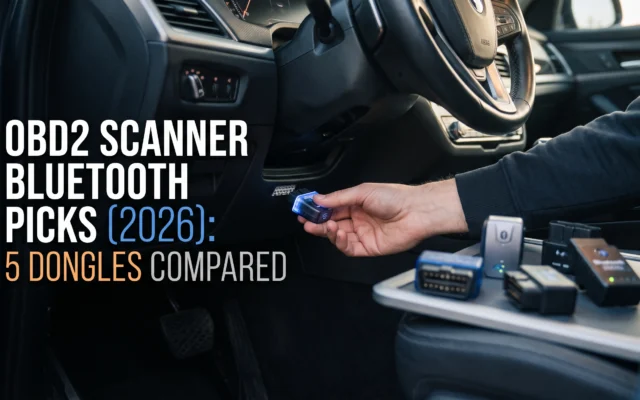
To pair a Bluetooth OBD2 dongle, plug it in, switch the ignition on, then connect from the scanner’s own app. The dongle needs power from the port before your phone can see it.
- Plug the dongle in, turn the ignition to ON, and install the app its manual names.
- Older classic-Bluetooth dongles pair in your phone’s settings first, often with a PIN such as 1234 or 0000 printed in the manual. Bluetooth Low Energy (BLE) dongles skip this and connect inside the app.
- In the app, pick the adapter and connect, then read codes exactly as above.
iPhone owners need a BLE or Wi-Fi dongle. Many older adapters built on the ELM327 chip (the common brain inside low-cost dongles) use a classic Bluetooth profile that iPhones do not support, so they never appear in the list.
Unplug the dongle when you finish. Some draw a small current with the car off, enough to drain a weak battery over days of cold-weather parking.
Key terms, explained
These words appear on almost every scanner screen, and the menus rarely explain them.
Plain-language definitions
- Pending, stored and permanent codes
- Pending means a fault was seen once but not confirmed. Stored means confirmed, usually with the light on. Permanent means only the car can erase it, after re-testing the repair.
- Readiness monitors (I/M monitors)
- Emissions self-tests the car completes as you drive. Each reads “ready” or “not ready”, and clearing codes sets them all back to “not ready”.
- OBD2/EOBD
- EOBD is Europe’s version of the same diagnostic system. A scanner labeled OBD2/EOBD works on US cars exactly as an OBD2-only scanner does.
Mistakes that cost people money
The most expensive mistake is clearing a code before writing it down. You lose the freeze frame and can fail an inspection you would have passed.
- Clearing codes the week of an inspectionThe monitors read “not ready” and the station turns the car away. Fix the fault, then drive until they complete.
- Buying the part the code seems to nameAn oxygen sensor code can come from a wiring fault or an exhaust leak. Look the code up for your exact car first.
- Assuming no light means no problemPending codes set before the light comes on. A scan before buying a used car shows faults the dash hides.
Frequently asked questions
Where do I plug in my OBD2 scanner?
Plug it into the 16-pin OBD2 port, which on most cars sits under the dashboard on the driver’s side, near the steering column. EPA charts for 1996–2000 cars also show ports on the center console, behind an ashtray or in the glove box. Still lost? Check your owner’s manual under “data link connector”.
Do I need the engine running to read codes?
No. Most scanners read codes with the ignition on and the engine off, which is the safest way to start. You do need the engine running for live data, such as coolant temperature and fuel trim. If yours will not link with the engine off, its manual says which state it needs.
Does disconnecting the battery clear codes like a scanner does?
On most cars, yes, but it is a worse way to do it. Disconnecting the battery usually erases codes, freeze frame and readiness monitors just as a scanner does. It can also wipe radio presets and the engine’s learned idle settings. A scanner clears only what you choose, and it lets you read and record the codes first.
How do I use a Bluetooth OBD2 scanner with an iPhone?
Use a Bluetooth Low Energy or Wi-Fi dongle, plug it in, turn the ignition on, and connect from inside the dongle’s app. iPhones do not show classic-Bluetooth OBD2 adapters in their Bluetooth settings, so a classic-only dongle never connects. Check the box or manual for BLE or iPhone support before you buy.
What to do after your first scan
Record the codes, fix the cause, clear, drive for a few days, then scan again. That last scan is the step most people skip, and it is the only one that tells you the repair held.
If the same code returns, the first repair missed. Go back to your freeze frame photo rather than replacing the next part on the list.

Article engagement
Comments (0)
No comments yet. Be the first to share what you think.
Sign in to join the conversation.