

Do Dash Cams Record When the Car Is Off?

October 17, 2026 · 9 min read

Someone dented your bumper in a parking lot, and the dash cam footage stops the moment you turned the key. So do dash cams record when the car is off? Some do, but only with two things set up before you walk away. This guide covers both, and what they cost your battery.
Updated — first published
Quick answer
Dash cams record when the car is off only if they have parking mode and a power source that stays live, such as a hardwire kit, an OBD adapter or a battery pack. On a 12V socket that switches off with the key, recording stops when you park. A two-channel camera typically draws about 350 mA while parked.
Who this guide is for
This guide is for drivers who want their dash cam to watch the car while it is parked. It settles how to power the camera and what that costs the battery.
This is for you if
- Your car sits on the street or in an open lot overnight
- You want a security camera for your car while parked, without a second device
- Your dash cam runs from the 12V socket
Look elsewhere if
- You need live phone alerts, which take an LTE module and a data plan
- The camera is not mounted yet. Start with where to place a dash cam
The short answer: only with parking mode
A dash cam keeps recording after you switch off the car only when parking mode is on and its power stays live. Miss either one and it shuts down with the ignition.
Parking mode is a setting that drops the camera into a low-power watch state. In most cars the 12V socket (the cigarette-lighter plug) goes dead with the key. The small capacitor inside a dash cam only holds enough charge to save the last file.
Three ways to power a parked dash cam
You can use a hardwire kit, an OBD-II adapter or a separate battery pack. The camera draws the same power from each. What changes is which battery pays and what stops the drain.
| Power method | Which battery pays | Car battery draw while parked | What stops the drain | Trade-off |
|---|---|---|---|---|
| 12V socket plug | Car battery, key on only | 0 mA, camera off | The ignition | No parked recording |
| Hardwire kit | Car battery, via the fuse box | About 350 mA | Voltage cutoff, optional timer | Fuse-box install |
| OBD adapter | Car battery, via the OBD-II port | About 350 mA | Built-in cutoff, if it has one | Some ports switch off when the car sleeps |
| Battery pack | Its own cells, charged while driving | 0 mA | The pack running empty | Needs drive time to refill |
What the table does not show
350 mA is an average. BlackVue notes real consumption varies with conditions, and Wi-Fi or an LTE module adds to it. Check your camera’s own parking-mode figure.
Hardwire kit with voltage cutoff
A hardwire kit is the standard way to power parking mode, and its voltage cutoff protects your battery. It connects to a constant fuse that stays live and an ACC fuse (accessory power) that switches with the key. When ACC goes dead, the camera knows you parked.
The cutoff cuts the camera before the battery is too weak to start the car. The BlackVue Power Magic Pro offers 12.0V or 12.5V cutoffs on 12V cars, plus a timer from 6 hours up. Power stops at whichever limit comes first.
The trade-off is pulling trim and adding fuse taps. Read how to hardwire a dash cam before you buy a kit.
External battery packs
An external battery pack runs parking mode without touching your car battery once you park. It charges while you drive, then feeds the camera alone.
The BlackVue B-130X holds 96 Wh (12.8V, 7,500 mAh), rated at up to 30 hours with one camera or 22 hours with two. The catch: short errands may never refill it, and it is a second box under a seat.
OBD power adapters
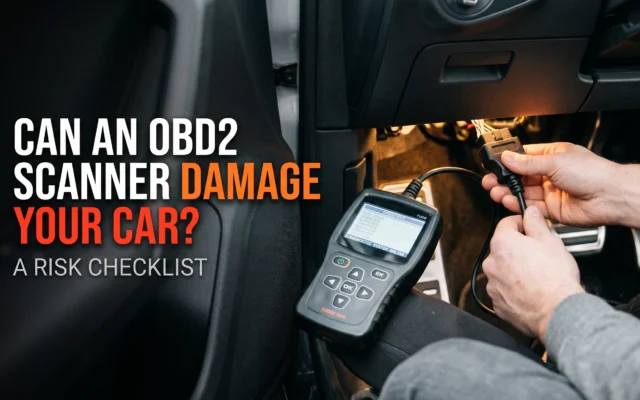
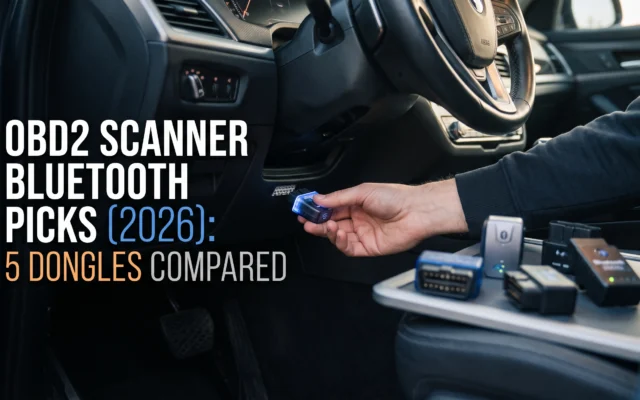
An OBD power adapter gives you parking mode without opening the fuse box. It plugs into the OBD-II port (also written OBD2), the diagnostic socket under the dashboard.
Pin 16 of that port carries battery power under the SAE J1962 connector standard, so this is the same car battery a hardwire kit uses. Buy one with a built-in voltage cutoff. Some cars cut port power once they lock and sleep, so test yours, and keep the plug clear of your feet.
How much battery drain to expect
A two-channel dash cam takes about 2.8 amp-hours (Ah) from the battery over an 8-hour night. One Ah is one amp for one hour. The BlackVue DR970X averages 230 mA parked with one camera and 350 mA with two.
| Time parked | 1-channel, 230 mA | 2-channel, 350 mA | Share of a 60 Ah battery, 2-channel |
|---|---|---|---|
| 8 hours | 1.8 Ah | 2.8 Ah | About 5% |
| 24 hours | 5.5 Ah | 8.4 Ah | About 14% |
| 48 hours | 11.0 Ah | 16.8 Ah | About 28% |
Real runtimes are shorter than this math. Your battery is rarely full, the car has its own standby draw, and voltage sags under load. Hardwire-kit setup guides from dash cam sellers typically quote 6 to 8 hours at a 12.0V cutoff.
Battery Council International’s chart puts a resting battery at 12.6V full, 12.4V at 75% and 12.2V at 50%. A higher cutoff means shorter recording and a safer start.
Buffered vs motion-triggered parking mode
Buffered parking mode captures the moment of impact. Motion-triggered mode can miss it.
A motion-triggered camera starts recording once it senses movement or a bump, so the first seconds can be lost. A buffered camera keeps a rolling clip in memory and saves it when something happens. VIOFO’s buffered mode saves 15 seconds before the event and 30 seconds after.
Event clips are locked against overwriting while normal footage cycles over itself, as covered in dash cam loop recording explained.
How to choose your parked setup
Match the power method to how long the car sits, then confirm buffered recording.
How long the car sits
Overnight suits a hardwire kit or OBD adapter. A car parked a day or more needs a battery pack, because a car-battery setup reaches its cutoff first.
How much you drive
A pack only refills while you drive. If most trips are short errands, a hardwire kit with a sensible cutoff is safer.
Buffered recording support
Look for a buffered or pre-event parking option in the manual. Without it, you may save the aftermath and miss the hit.
Ignore “24/7 recording” on the box
No dash cam records around the clock on its own. The line means parking mode is supported once you add live power.

Key terms, explained
These three terms decide whether the car starts in the morning.
Plain-language definitions
- Parking mode
- A dash cam setting that switches to a low-power watch state when the car is parked. It needs power that stays live with the ignition off.
- Voltage cutoff
- The battery voltage at which a kit or adapter cuts power to the camera, typically 11.8V to 12.5V. A higher number protects starting power and shortens recording.
- ACC and constant power
- ACC (accessory) power switches with the key. Constant power stays live. A hardwire kit uses both to know when you parked.
Mistakes that cost people money
The costliest mistake is setting the cutoff too low and paying for a jump start.
- Choosing the lowest cutoffCold weakens a battery’s starting power. Use the higher setting through winter.
- Assuming the 12V socket stays liveLock the car and check the camera screen goes dark.
- Buying a pack for a short-trip carA pack that never fully recharges gives short coverage.
- Never checking the SD cardPull it monthly and confirm parked clips are there.
How this guide was researched
Every figure here comes from manufacturer documentation or a battery industry chart, read in October 2026.
How this guide was researched
- Cedar Buy read BlackVue’s DR970X specifications, its Power Magic Pro and battery pack help articles, and VIOFO’s buffered parking documentation.
- Charge levels use Battery Council International’s open-circuit voltage chart. The OBD-II pin layout follows SAE J1962.
- The drain table is arithmetic from published averages, not a measurement. The 60 Ah battery is an example size.
- Specifications come from manufacturer documentation. Cedar Buy does not physically test products — see our editorial policy.
Frequently asked questions
Will a dash cam drain my car battery overnight?
Not with a hardwire kit or OBD adapter that has a voltage cutoff. A two-channel camera takes about 2.8 Ah over 8 hours, roughly 5% of a 60 Ah battery. Without a cutoff, several nights in a row can leave the battery too weak to start the car.
Can a dash cam work as a security camera for my car while parked?
Yes, if it has parking mode and live power. It records bumps and movement around the car, and buffered models also save the seconds before the event. It will not alert your phone without an LTE module and data plan, so treat it as an evidence recorder, not an alarm.
Does a dash cam record when plugged into the cigarette lighter?
In most cars, only while the ignition is on, because the 12V socket switches off with the key. Cars that keep the socket live drain the battery with no cutoff. For parked recording, use a hardwire kit, an OBD adapter with a cutoff, or a battery pack.
What voltage cutoff should I set on a hardwire kit?
Use 12.2V or higher where your kit allows it, and the highest setting in winter. A resting battery sits near 50% charge at 12.2V. On a two-step kit like the BlackVue Power Magic Pro, which offers 12.0V or 12.5V, choose 12.5V if the car must start on cold mornings.
What to do next
Turn on parking mode, then pick power that matches how long your car sits.
For a daily driver parked overnight, get a hardwire kit and set the cutoff at 12.2V or higher. For a car parked a day or more, get a battery pack sized to your camera. If you will not touch the fuse box, use an OBD adapter with a cutoff once you confirm the port stays live. That is Cedar Buy’s editorial view, based on the manufacturer figures above.






Article engagement
Comments (0)
No comments yet. Be the first to share what you think.
Sign in to join the conversation.